What it does
Everything a coach does on a whiteboard, minus the whiteboard
Built for a phone held in cold hands at the side of a pitch, and for a tablet passed round a changing room.
Teams and squads
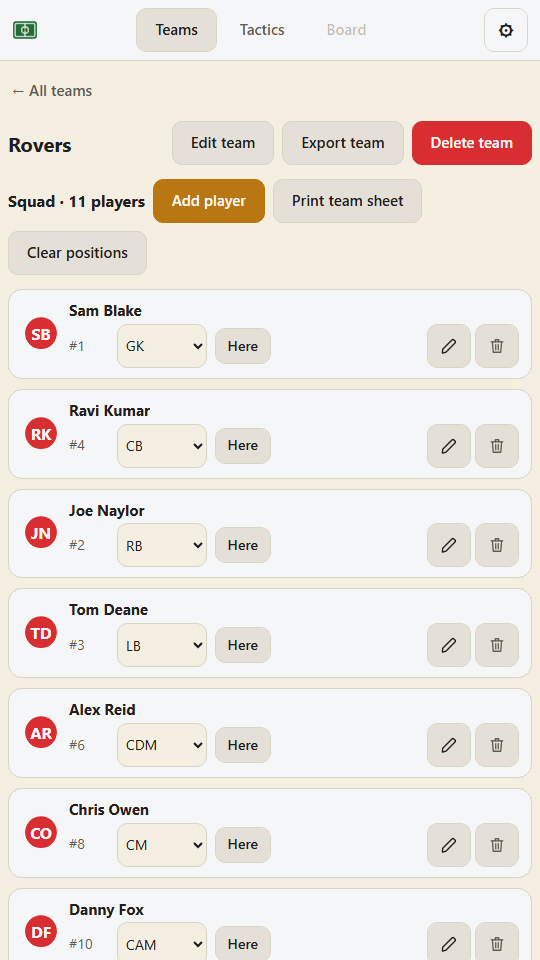
Add each team in its own kit colours and club badge, then the players with names, shirt numbers and positions. Initials are worked out for you and kept distinct, so two lads called Jack never end up as the same circle.
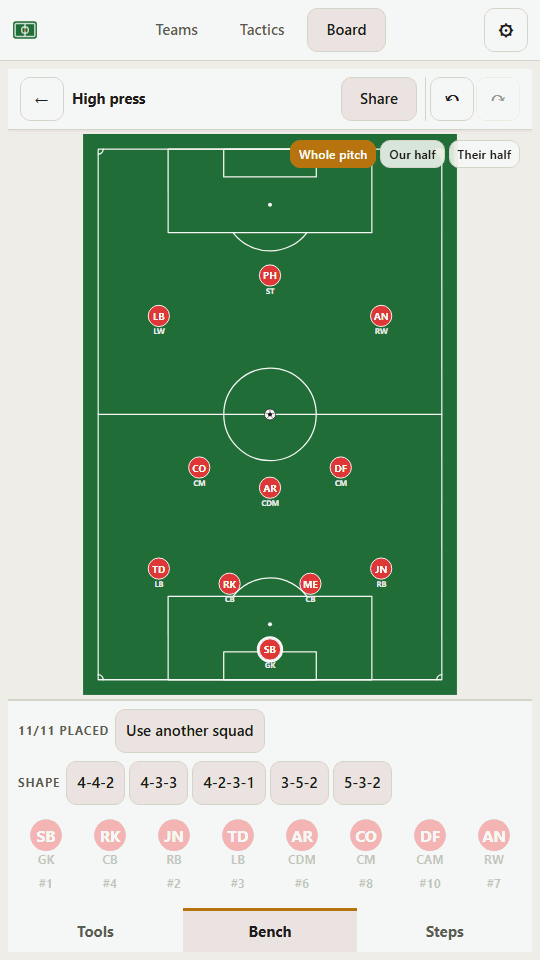
Formations in one tap, both teams
4-4-2, 4-3-3, 4-2-3-1, 3-5-2, plus real shapes for 9, 7 and 5-a-side. Players land in the positions they actually play, the opposition can be laid out facing you, and one tap switches ends. Everything is draggable from there.
Draw the move
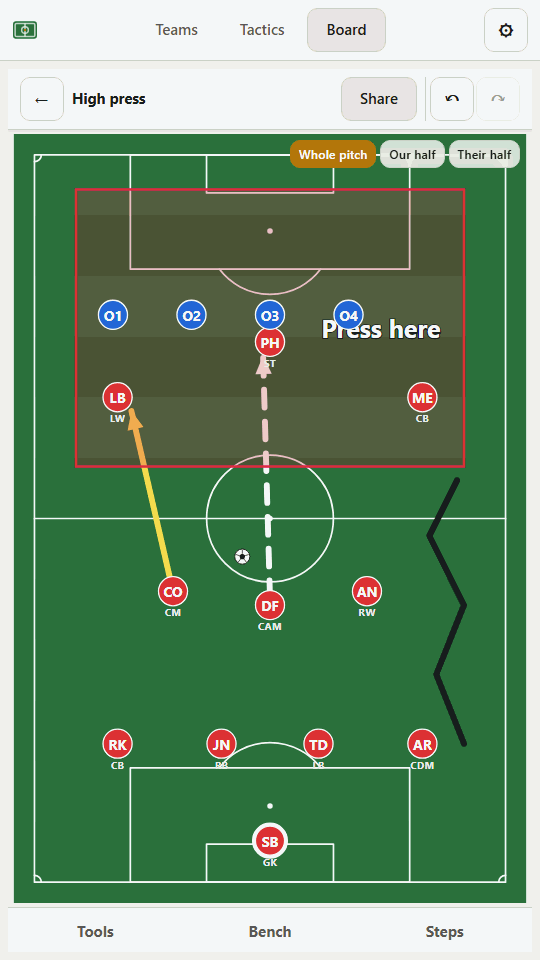
Arrows for runs, dashed lines for passes, zones and freehand, with four pen colours and two thicknesses. Highlight the two or three players the move is really about, or draw a shape round your midfield diamond and watch it stretch as they move.
Animate it
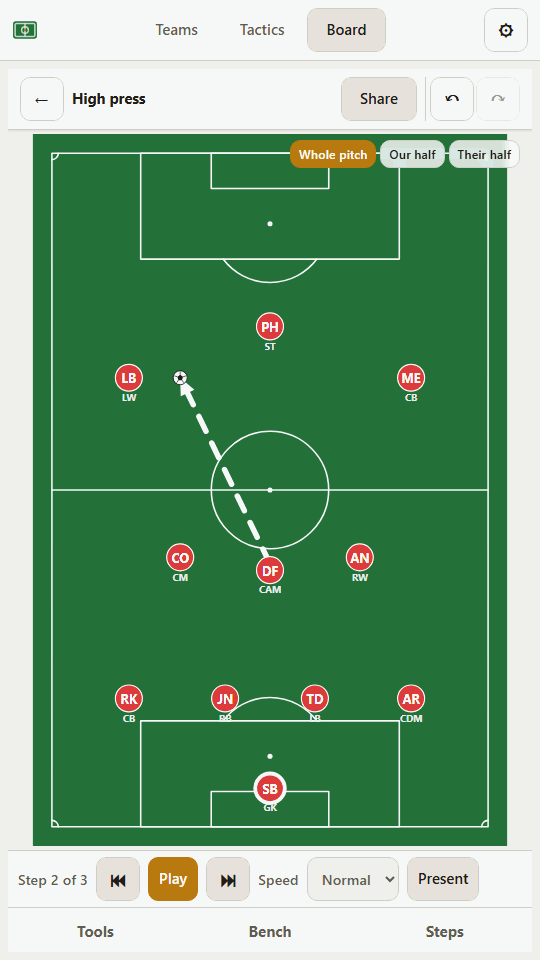
Build a move step by step and play it back smoothly. Presentation mode clears everything off the screen except the pitch, which is what you want before kick-off.
Write down how to coach it
Every step can carry a note: what to watch for, how to drill it. It shows under the step it belongs to as the move plays, and travels inside the file when you send it on.
The pitch your format plays on
Seven, nine or eleven a side, each with its own pitch and its own markings, because a 7-a-side penalty area is nearly half the width of the pitch. Zoom to the half a corner routine needs, drop the markings for a drill on a plain area, or duplicate an 11-a-side tactic straight into a 9 or 7-a-side copy. Same shape, right-sized grass.
Works offline
Add it to the home screen once and it opens in aeroplane mode, in a car park, in the rain. No signal required, nothing to load, nothing to wait for.
Team sheets to print
Print the squad as a clean sheet for the folder: names, numbers and positions, with whoever is away this week marked up.
Sharing
Send a tactic to another coach
A tactic exports as one small file that carries its team and squad along with it, so it stands on its own. Whoever opens it sees exactly what you drew, the same players, numbers and kit colours, even if they have never had your squad on their phone.
Or send the whole move as an animation. It plays by itself in a message or a group chat, with nothing to install at the other end and nobody needing the app to see the point you are making. A still picture of one step works too. No accounts at either end, and no link that expires.
- One tactic as a file
- The move as an animation
- A picture for the group chat
- A whole team, squad and all
On the phone
Three screens you will actually use
Nothing leaves the phone
Private because there is nowhere for it to go
You are typing children's names into it, so this matters. There is no account to make, no server behind it and no analytics in it. Everything you enter is saved on your own device, and the app has no way to send it anywhere.
The flip side is worth knowing: your work lives in that browser, on that device. Export a backup now and then, and keep the file somewhere safe.
Staying free with no ads is the point, not a launch offer. If the app earns its place in your kitbag, you can chip in towards its keep. It goes on the domain, the store fees and the next thing coaches ask for.
- No accounts
- No ads
- No tracking
- No server
And a hand, if you have two minutes
The Android version is a thin wrapper around this very app, so it updates itself the moment the site does. No waiting on store releases for a fix.
Google makes new developers run a closed test before they will allow a public release: a dozen or so people, opted in for a fortnight. A tester's whole job is two taps, an install, and keeping the app on the phone for two weeks. You do not need to be a coach; you need an Android phone and a Google account.
Use the same Google account for both steps, on the phone you will install on. First join the tester group, then register as a tester, and the second page hands you the Play Store link to install.
Then open it once so it counts, and leave it installed for the fortnight. That is the entire job, and it is a real help.